
 0
0



- Home
- Blog
- Printing Technology
- 【Print File Setup Guide】5 Important Things You Must Know Before Printing
【Print File Setup Guide】5 Important Things You Must Know Before Printing
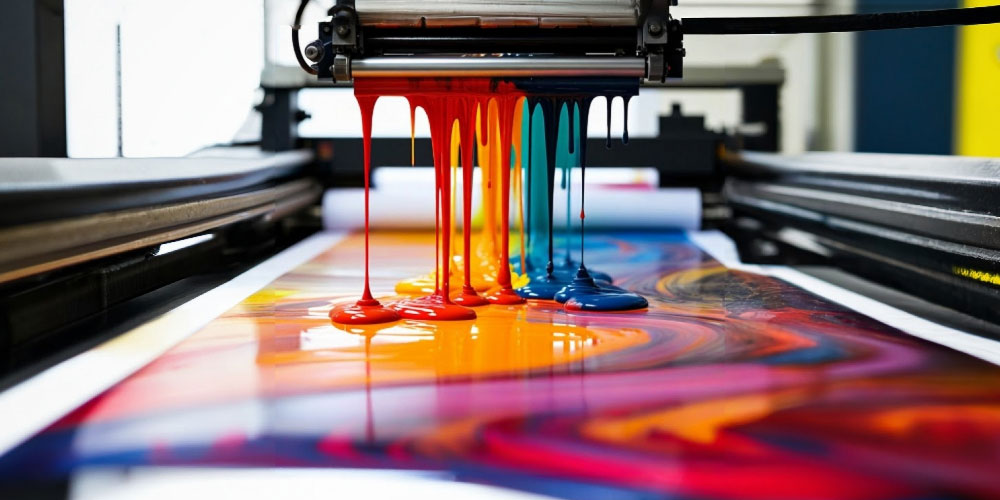
You’ve probably run into this situation before — your design looks perfect on screen, but once printed, the colors shift, fonts change, and images look blurry. In most cases, the problem isn’t the printer — it’s that the file wasn’t set up correctly for printing.
This article will walk you through the key points of print file setup — from the difference between CMYK and RGB, resolution settings, and bleed lines to file formats — so your printed design won’t end up crooked, blurry, or off-color!
So before designing anything for print — like business cards, flyers, or packaging — make sure to convert your file color mode to CMYK.
This is the first and most important step in proper print file setup!
Quick Tip:
Images downloaded from the web are often only 72dpi — they may look fine on screen,but once printed, they’ll turn out fuzzy or pixelated.
Start your design with high-resolution images to avoid rework later.
Converting text to outlines turns it into a vector shape,so even if the printer doesn’t have your font, the layout and appearance stay intact.
Tip: Always keep a backup copy of the original editable file before outlining text.
Here’s what to do:
Extend your background or image 3mm beyond the document edge.When the printer trims the paper, your artwork will still look perfectly aligned.
This is one of the most commonly overlooked — yet crucial — steps in print file setup!
If you’re unsure which format your printer prefers,always confirm in advance to avoid printing delays or layout issues.
Just remember these key points:
CMYK color mode, 300dpi resolution, outlined text, proper bleed lines, and the right file format.
Prepare your print files correctly, and you’ll get accurate colors, sharp details, and professional results —because great design deserves to look just as good on paper as it does on screen!
This article will walk you through the key points of print file setup — from the difference between CMYK and RGB, resolution settings, and bleed lines to file formats — so your printed design won’t end up crooked, blurry, or off-color!
1. Use CMYK for Print Files, Not RGB
Most people don’t realize that screen and print colors work in completely different ways.- Screens use RGB (Red, Green, Blue) — the colors of light.
- Printing uses CMYK (Cyan, Magenta, Yellow, Black) — the colors of ink.
So before designing anything for print — like business cards, flyers, or packaging — make sure to convert your file color mode to CMYK.
This is the first and most important step in proper print file setup!
2. Use at Least 300dpi — or It’ll Look Blurry
results, resolution matters — a lot. For high-quality printing, images should be at least **300dpi**.Quick Tip:
- DPI (dots per inch) refers to how many printed dots fit into one inch.
- The higher the DPI, the sharper the print; the lower the DPI, the blurrier it looks.
Images downloaded from the web are often only 72dpi — they may look fine on screen,but once printed, they’ll turn out fuzzy or pixelated.
Start your design with high-resolution images to avoid rework later.
3. Convert Text to Outlines to Prevent Font Issues
not have the same fonts installed as you do. That’s why you should always **convert your text to outlines (or curves)** before sending your file.Converting text to outlines turns it into a vector shape,so even if the printer doesn’t have your font, the layout and appearance stay intact.
Tip: Always keep a backup copy of the original editable file before outlining text.
4. Don’t Forget Bleed Lines — for Perfect Trimming
A **bleed line** is the extra space left around your design for trimming during printing, usually **3mm on each side**.Without bleed, even a tiny cutting misalignment can leave unwanted white edges.Here’s what to do:
Extend your background or image 3mm beyond the document edge.When the printer trims the paper, your artwork will still look perfectly aligned.
This is one of the most commonly overlooked — yet crucial — steps in print file setup!
5. Choose the Right File Format for Printing
Common print-ready file formats include:- PDF:: The most recommended — stable, compact, and preserves layout
- AI / EPS:: Ideal for vector graphics (like logos or business cards)
- TIFF / JPG(300dpi CMYK):For single-image printing
- PSD:Editable but can be large in file size
If you’re unsure which format your printer prefers,always confirm in advance to avoid printing delays or layout issues.
Get the File Settings Right, and You’re Halfway to a Perfect Print!
The quality of any printed piece is determined the moment you set up your file.Just remember these key points:
CMYK color mode, 300dpi resolution, outlined text, proper bleed lines, and the right file format.
Prepare your print files correctly, and you’ll get accurate colors, sharp details, and professional results —because great design deserves to look just as good on paper as it does on screen!

Mei
A creator who shares observations and experiences of life. I enjoy recording small stories from my work and compiling practical information and experiences to help readers find the answers they need more easily. I hope to express my thoughts more clearly, share knowledge more simply, and transform my daily inspirations into content that can accompany you. Welcome to exchange ideas, learn together, and grow together!


Article Classification
Recent Articles
- [Technical Feature] A workaround for blocking hair dryers: Santa Claus introduces an irreversible 90°C "text enlargement" temperature-sensitive VOID anti-counterfeiting label.
- [Technical Feature] Breaking Printing Limits: BS5609 Certified Roll Labels, a Comprehensive Solution for Matte and Glossy Materials
- [Expert Opinion] The Ultimate Standard for Marine Chemical Labelling: Demystifying BS5609 Certification and GHS Global Compliance
- Printing curves
- 【Print File Setup Guide】5 Important Things You Must Know Before Printing